Write on your Mac.
Read on your iPhone.
Look right at the lens.
A teleprompter for people who film alone. Pair your iPhone with a 6-digit code and your script is under the camera in seconds.
- One-time purchase
- No account
- No watermark
From script to take
in three steps.
Write the script
Keep scripts in folders on your Mac. A blank line starts a new beat.
Pair with a code
Your iPhone finds your Mac on Wi-Fi. Type the 6-digit code once and your scripts appear.
Film
Mount the phone on your rig, or record straight from your Mac's camera into your Movies folder.
You don't look like
you're reading.
- Calibrate once. Drag the mask band to match your camera head, holding the phone the way it mounts.
- Text stays just under the lens. Your eyes barely move, so viewers see eye contact.
- Mirror mode flips the text for beam-splitter rigs.
A proper home
for your scripts.
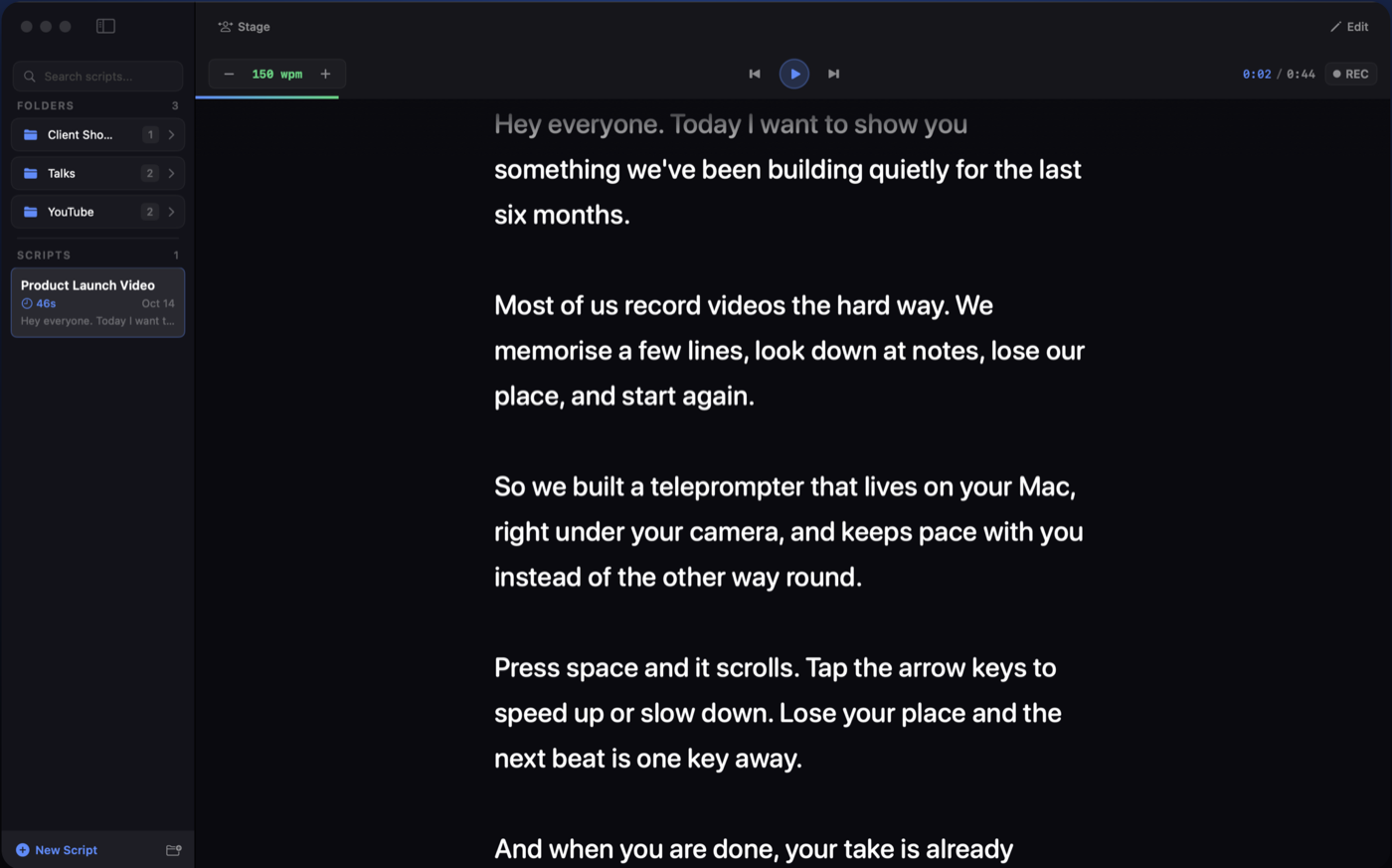
Prompt full screen right on your Mac, with live pace, timer and one-key recording.
Run the take,
not the app.
Jump between beats
Fluffed a line? Jump back to the start of the beat without losing your place.
Keyboard first
Space to play, arrow keys to change speed, ⌘⇧R to record.
Remote from any browser
Control the prompter from any phone or laptop on the same network.
Live pace
See your words per minute while you read, so you know when you're rushing.
Record on your Mac
Film from your Mac's camera while you read. Takes land in your Movies folder.
Countdown and mirror
A countdown before each take, and mirrored text for glass rigs.
Your scripts stay
on your Mac.
No cloud, no sign-up, no tracking. Your Mac and iPhone talk directly over your own Wi-Fi.
Yours to keep
One purchase covers the Mac app and the iPhone app.
- Mac app and iPhone app
- No subscription
- Every feature included
Good
questions.
Do I need both a Mac and an iPhone?
For the iPhone prompter, yes: you write on the Mac and the iPhone pulls your scripts from it. The Mac app works fine on its own with your Mac's camera.
Does it need an internet connection?
No. Your Mac and iPhone talk over your local Wi-Fi.
Is it a subscription?
No. You pay once.
Does it scroll by following my voice?
Not yet. You set the speed, and you can nudge it or jump beats while you read.
Which rigs does it work with?
Any rig that holds an iPhone under or behind the glass. Mirror mode flips the text for beam-splitter rigs.
Stop memorizing.
Start filming.
Coming soon to the Mac App Store and App Store.
Get notified at launch